- Go to the Digital Archives
You’ll find the Norwegian censuses on the website of the Digital Archives. This link brings you to their English language page: https://www.digitalarkivet.no/en. Click on Find source under the main search field. 
- Select the type of record you wish to use
Some census databases are indexed and searchable; others consist of scanned images, so one must browse through these instead of searching by name or other criteria. We click on Censuses then select the 1910 census. By using the Geography menu, we can select the area, in this example we selected Oslo, and from the Form menu we clicked on Searchable.
You may decide how many criteria you wish to add in the search fields.

- Click on the Search button
When you click on the Search button, there is a hit. Then you can click on the Search source button on the right-hand side, in order to search in the record displayed. 
4. Fill out your information in the search fields
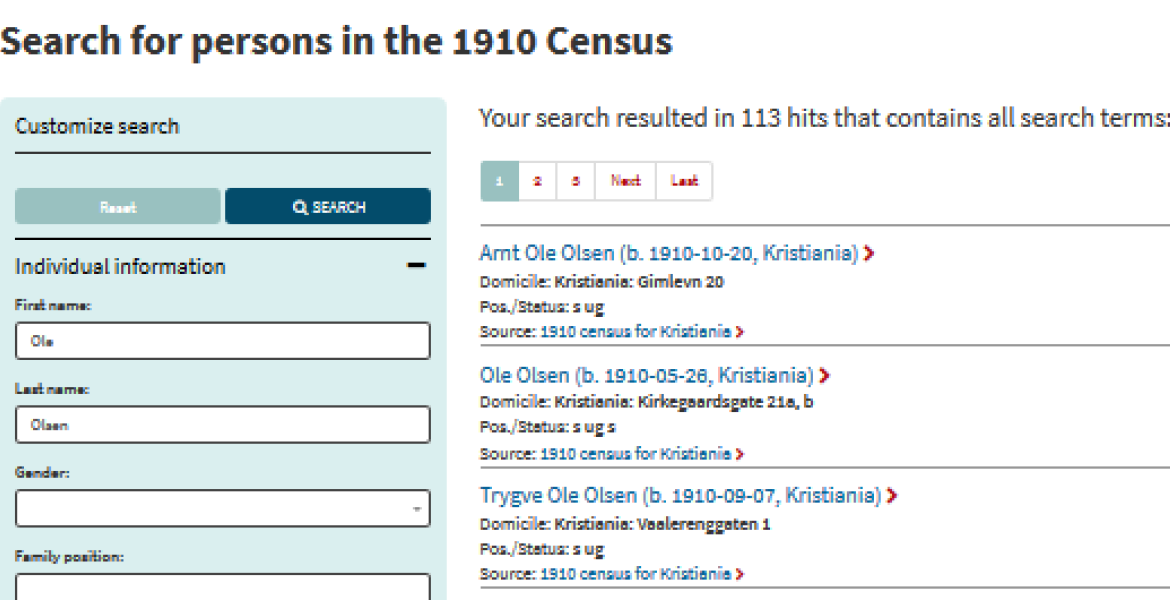
You should now have a search page on your screen, for the 1910 census of Oslo, where you can fill out some of the information you have about your ancestor. In our example, we used Ole Olsen born in Kristiania (the old name for Oslo), and clicked on the Search button.

- Click on a name for more details
This gave us 113 possible matches. If we had entered more information about this Ole Olsen or searched for a person with a less common name, there would have been fewer hits.

When you find a person of interest, you can click on the name to find all the details in the record. 
We selected this man, Ørnulf Ole Hans Olsen, from the list of hits, and the census tells us where and when he was born, his occupation and also gives us information about the other members of his household.