


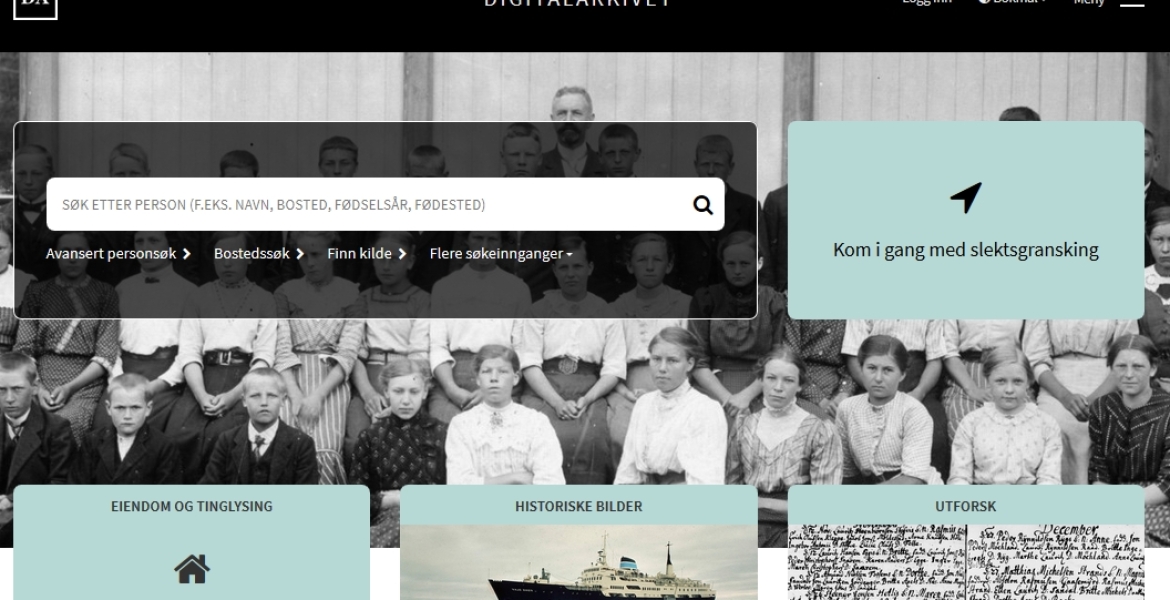
1. Go to the Digital Archives’ website
The following link brings you to the English language homepage: https://www.digitalarkivet.no/en. The search field there will perform a general search through the complete collection of indexed databases. If you search for a name, you will get a list of possible hits. The following example will show you the procedure: We entered Ole Olsen in the search field. We could also enter the name of the city, Kristiania (the old name for Oslo), after his name.
2. Add more detail by clicking on the “Advanced person search” button
If you’re searching for a common name like Ole Olsen, it’s best to add more detail in order to reduce the number of hits, for example, when and where he was born. On the “Advanced search” page, you can fill out the information you have in the appropriate fields. But avoid too much detail, as a person’s year of birth might have been recorded wrongly in a census, for example, so a time span (From/To) is usually best.
3. Press Enter
When you press enter, you will find a list of possible hits, and can select the ones which are of interest for further scrutiny. There may be hits for the same person in several different records. But if you have been too specific in your search, this might have affected the result, as a person’s name may have been recorded with different spellings, without a year of birth etc.
...resten av denne siden er kun tilgjengelig for medlemmer.
Logg inn for å se innholdet, eller bli medlem for å få tilgang.